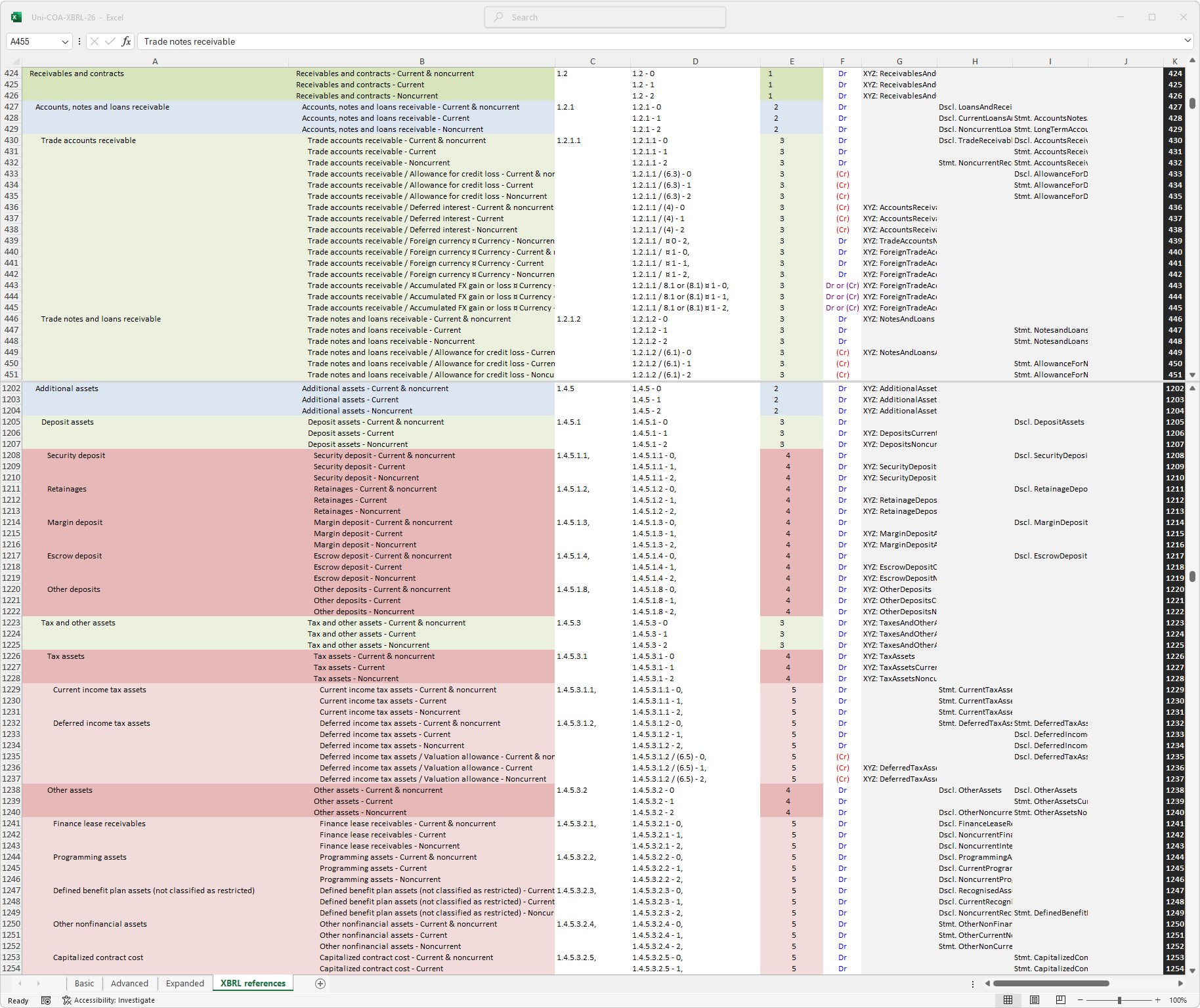
This XBRL COA fully reflects IFRS | US GAAP recognition, measurement, reporting and disclosure guidance.
As discussed in more detailed on the introduction page, IFRS and US GAAP provide extensive guidance that must be reflected in the accounts. However, as not all the guidance is applicable to all entities, the COA must be adjustable. As such, as discussed in more detail on the implementation page, this COA may be readily expanded or contracted.
Note: as culling unnecessary items from a comprehensive list is considerably more workable than building a comprehensive list, this COA does include accounts that may only be pertinent to a very small subset of all entities.
The advanced COA reflects IFRS | US GAAP recognition guidance. The expanded COA also reflects IFRS | US GAAP measurement guidance. This XBRL COA incorporates cross references to IFRS | FASB published taxonomies and thus also reflects reporting and disclosure guidance.
It may be used for dual reporting purposes ⚠.
This standardized COA may be used for dual reporting purposes.
However, adjustments will be necessary.
While comparable, IFRS and US GAAP are not identical. It is thus not reasonable to run the generate IFRS statements | GAAP statements script (downloadable on this page) on the same trial balance and expect results fully compliant with IFRS and US GAAP for both iterations.
The illustrative example section discusses and illustrates the most pertinent differences between IFRS and US GAAP.
This standardized COA is also suitable for private entities without an IFRS | US GAAP reporting obligation.
However, if used as a basis for tax reporting, adequate adjustments reflecting the specific tax laws of each particular jurisdiction will be necessary.
Activate to download all COAs in digital format or download this COA as a single file here.
The COA files are downloadable in .xlsx format.
Import into some ERP systems may require a CSV format.
As the COAs already utilize the comma, instead of saving as CSV in Excel the COA should be saved as tab-delimited text for best results.
Alternatively, install Python (with Pandas and Openpyxl libraries) and download this file Excel-to-CSV.zip.
Rename the COA to 'Excel-TSV-Input.xlsx' and run the script.
Note: conversion to CSV strips the formatting necessary for the scripts on this page to function as designed. Use the Depth column to rebuild the hierarchy, before running these scripts.
Pro view includes additional scripts illustrating how to generate a dynamic hierarchical COA from an Excel source file. It also includes scripts to map the output to balance sheet and P&L in IFRS or US GAAP format (also in Excel).