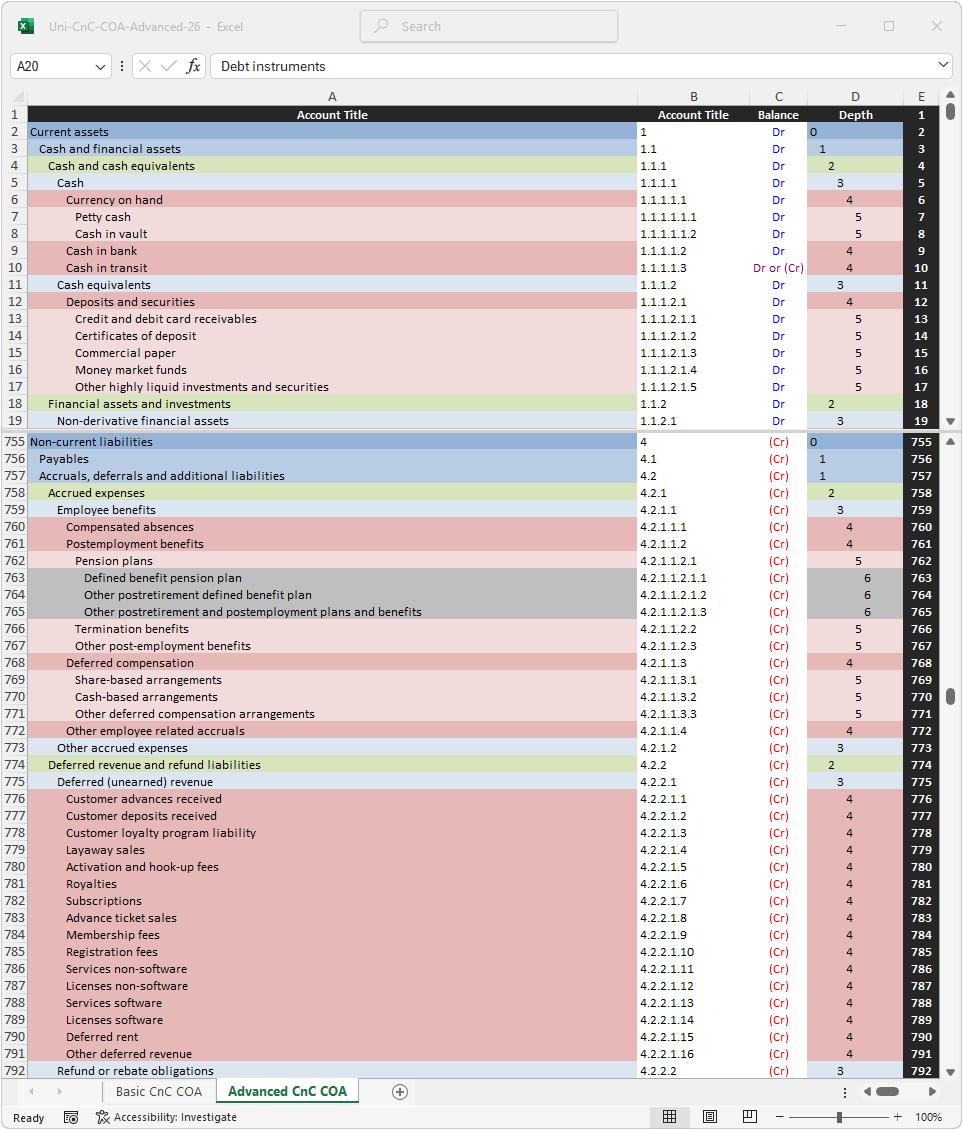
This COA reflects all pertinent IFRS and US GAAP guidance ⚠.
IFRS | US GAAP provides recognition, measurement and disclosure (reporting) guidance. Unlike the advanced and expanded charts of accounts, this COA also incorporates cross references to IASB | FASB published XBRL taxonomies. This feature is included to aid in the mapping of the accounts to XBRL tagged financial reports. However, as each entity is different, this mapping must be validated using any number of online validation tools, for example:
Free / Open‑source options include:
arelle.readthedocs.io/en/latest/esef.html
software.xbrl.org/processor/arelle-arelle
Online / Web‑based include:
www.xbrleurope.org/?page_id=1243
xbrl.us/home/priorities/data-quality/filing-results/check-filing/
A more detailed discussion of the COA's role and function is provided on the introduction page.
This standardized COA may be used for dual reporting purposes.
However, adjustments will be necessary.
While comparable, IFRS and US GAAP are not identical. It is thus not reasonable to run the generate IFRS statements | GAAP statements script (downloadable on this page) on the same trial balance and expect results fully compliant with IFRS and US GAAP for both iterations.
The illustrative example section discusses and illustrates the most pertinent differences between IFRS and US GAAP.
This standardized COA is also suitable for private entities without an IFRS | US GAAP reporting obligation.
However, if used as a basis for tax reporting, adequate adjustments reflecting the specific tax laws of each particular jurisdiction will be necessary.
This COA may also be used for managerial or intracompany accounting purposes. However, it was not designed with this aim in mind. Consequently, it will need to be adjusted to serve this purpose.
Important!
This COA is designed to be easily and infinitely expandable. However, adding entity-specific information such as profit center, customer type, geographic location, etc. will make the account structure bloated and, eventually, unusable.
For example:

Instead, the optimal solution is to employ a robust ERP system that allows this information to be added as additional dimensions, leaving the basic COA structure intact.
Optimally, this ERP system should also support attributes where the core accounts serve recognition purposes with attributes capturing additional information such as measurement basis or currency of denomination.
Likewise, individual items, for example individual automobiles or machine tools, have no place being included on a chart of accounts. Instead they should be kept in dedicated subledgers specifically designed for this purpose.
This issue is explored in more depth on the implementation page.
Activate to download this COA in digital format.
All COA files on this site are available for download in .xlsx format.
While Excel is a lingua franca, some ERP systems require a CSV or TSV format instead.
To perform the conversion, make certain you have Python with Pandas and Openpyxl libraries installed. Next, download Excel-to-CSV.zip. Place both the COA and the script into the same folder. Rename the COA exactly Excel-TSV-Input.xlsx and run the script.
To convert back to Excel, copy Excel-TSV-Output.csv to Excel and use the Text to Columns function. Leave the delimiter set to the default Tab. Please be aware, the conversion process strips formatting, so the Depth column is critical for rebuilding COA's hierarchy and make the scripts on this page function correctly.
Also see the implementation guidance on this page.