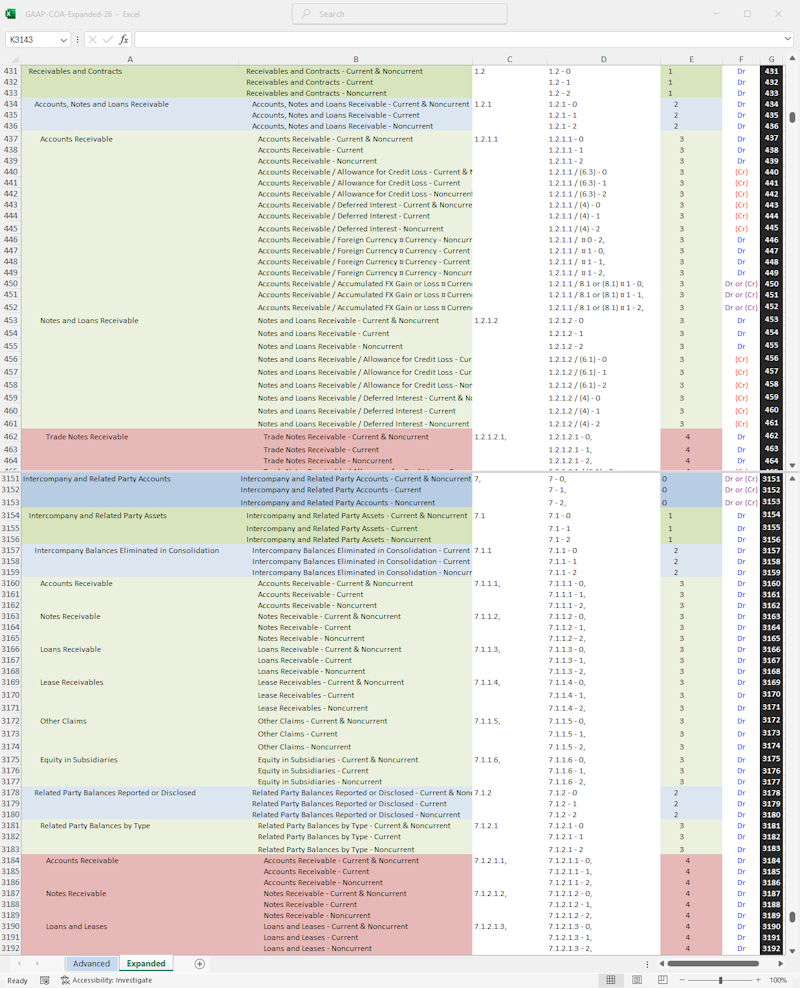
In addition to reflecting all US GAAP guidance in the core of the architecture, this chart of accounts incorporates attribute dimensions capturing datapoints including adjustments (e.g. accumulated depreciation, amortization, impairment, CECL), measurement (e.g. amortized cost vs. FVNI vs. FVOCI), currency (for foreign currency denominated monetary items), a current/non-current distinction, etc. Optimally it would be implemented in a robust, multidimension capable ERP system.
Note: the availability of ERP solutions varies across jurisdictions so the COA is designed to accommodate a flat structure where attributes as well as additional metadata can be captured in a single account string. However, for best results, a robust, multidimensional software solution should be employed.
Purchase for €45,00 Download in Excel format.
The COA files are downloadable in .xlsx format.
Import into some ERP systems may require a CSV format.
As the COAs already utilize the comma, instead of saving as CSV in Excel the COA should be saved as tab-delimited text for best results.
Alternatively, install Python (with Pandas and Openpyxl libraries) and download this file Excel-to-CSV.zip.
Rename the COA to 'Excel-TSV-Input.xlsx' and run the script.
Note: conversion to CSV strips the formatting necessary for the scripts on this page to function as designed. Use the Depth column to rebuild the hierarchy, before running these scripts.